Review a change
Check the exact before-and-after values and confirm the intended change.
Your connected app saves supported requested actions directly and reports the result. You do not need a separate review screen for each one.
Ask for a preview when you want to inspect proposed values without changing the loan. If you choose to confirm a preview, or an action needs a genuine personal confirmation, use Tasks or the returned Kevo link.
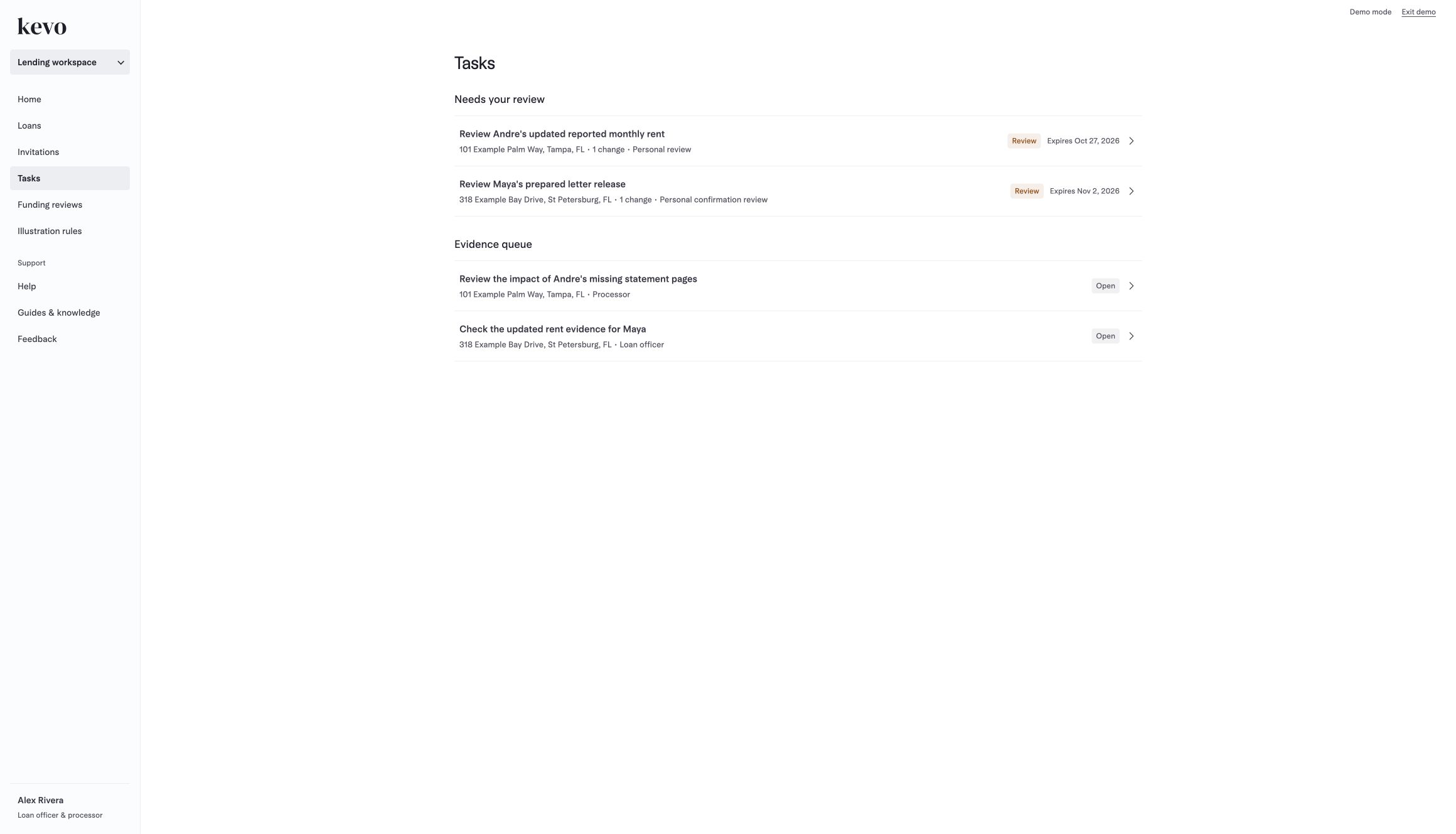
The demo Tasks page separates changes needing your review from the evidence queue.
Check before confirming
- Check the borrower, property and the person being asked to confirm.
- Compare the recorded and proposed values. Read the reason and supporting evidence.
- Confirm only if the change is correct and still current. Otherwise reject it or ask for a corrected proposal.
- Check the saved result after the page updates. For an ongoing loan request, Kevo continues from the saved outcome.
For example, changing reported monthly rent from $3,200 to $3,300 changes the borrower’s reported answer. It does not independently verify the rent, and an earlier calculation may need to run again.
Confirm in your account
In your own signed-in account, choose Confirm changes or the named action on the review page, such as Release for a letter. You do not need a separate approval passkey. Sensitive live actions may ask you to verify an account second factor first.
A direct action has its own execution record. It never pretends you completed a personal confirmation.
If the review expires or the loan changes
Read the current loan and ask for a new proposal. Do not keep submitting the old review: it was prepared against different information.
If you do not know whether confirmation finished, reopen the review link or refresh the loan before trying again. An interrupted response does not establish that the change failed.
Try a rent-change review
Open Andre Morgan’s loan, then choose Review change on the Answers tab. Compare the $3,200 recorded rent with the $3,300 proposal, complete the review and confirm it.
The page should say Rent change approved, and the recorded rent should become $3,300.
When nothing is waiting
An empty Tasks queue means no current work is listed for your access and filters. Check the loan’s readiness for other blockers; a calculation or awaited evidence may still be pending.