Find your way around
Understand the lending workspace, demo mode and your daily queue.
Your Lending workspace is the part of Kevo for loan officers and processors. A workspace groups the navigation and tasks for a type of work; switching it does not change your account or give you another role.
Start with Lending workspace
Use the workspace menu below the Kevo logo. Choose Lending workspace to work on loans; Administration manages partner and policy records, while Developer tools holds diagnostics.
- Home shows loan files and reviews that need attention.
- Loans searches by borrower or property and filters by program, stage or assignment.
- Tasks brings document requests, corrections, document reviews, missing requirements and prepared changes into one queue, with the responsible role and due date when known.
Open a loan to see its documents, answers, calculations, letter and connected-system records. Check the borrower and property each time you follow a link from a conversation.
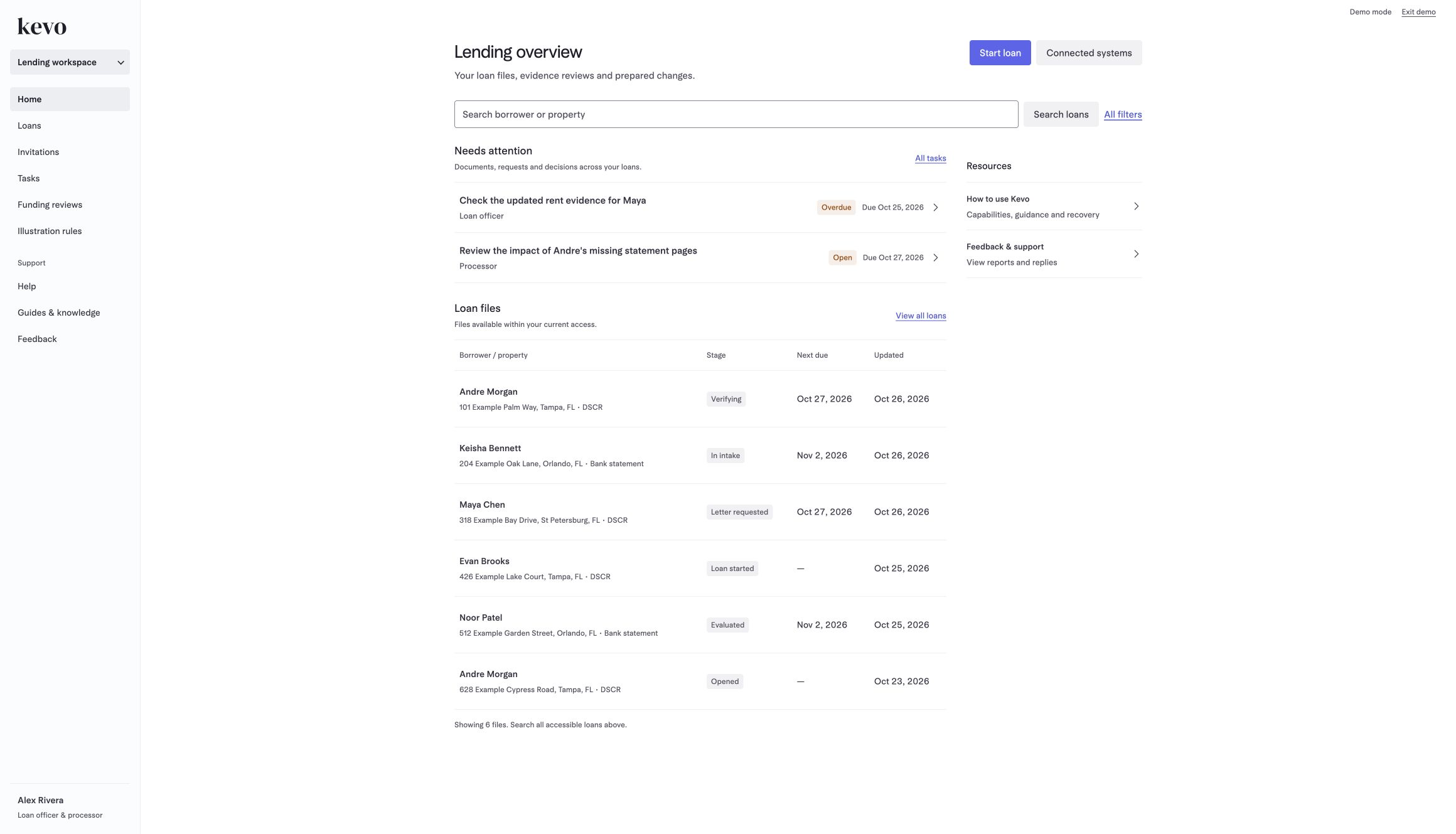
The demo lending overview puts your attention queue and loan files on one screen.
If your workspace is empty
On first use, you may have no loan files. Choose Start a loan file on the lending home, or ask the person who set up your account to assign an existing file to you.
An empty Tasks queue means no current work is listed for your access and filters. Check the loan’s readiness for other blockers.
If Kevo says it could not load a list, use Retry. A failed load does not mean that the list is empty.
Explore the demo
Choose Explore demo in the left menu to explore populated workspaces. Open a loan in the lending workspace to try a document replacement and a rent-change review.
Use Exit demo at the top of the page to return to your own work.
Use the browser and your connected app together
Start with one request for the outcome you need in your connected app. Use Kevo’s pages to inspect private evidence and handle items that need information or a decision. Supported requested changes save directly; ask for a preview when you want to inspect proposed values first.
There is no chatbot inside Kevo. Client setup explains how to connect the app you already use.